
Gwinnett Arrests Since Yesterday
The official starting point is the Gwinnett County Sheriff's Office JAIL View. Its default heading reads "20 BOOKED Last 24 Hours." That label describes the live interface. It is not a fixed daily report of exactly twenty people. It does not promise hourly publication. Use the "Load more results" control. It extends the first displayed group, so look past the initial screen when scanning Gwinnett County recent arrests.
A booking lands in JAIL View only after processing. The person must first reach the Gwinnett County Jail, also called the Gwinnett County Detention Center. Arrests by Gwinnett County Police generally route to that single booking point. Other agencies in the county do the same. The agency field may show county police, a city department, or Georgia State Patrol. It names who made the arrest. The jail record answers the separate question of who is in custody.
The official same-day booking screen shows the default-window layout.
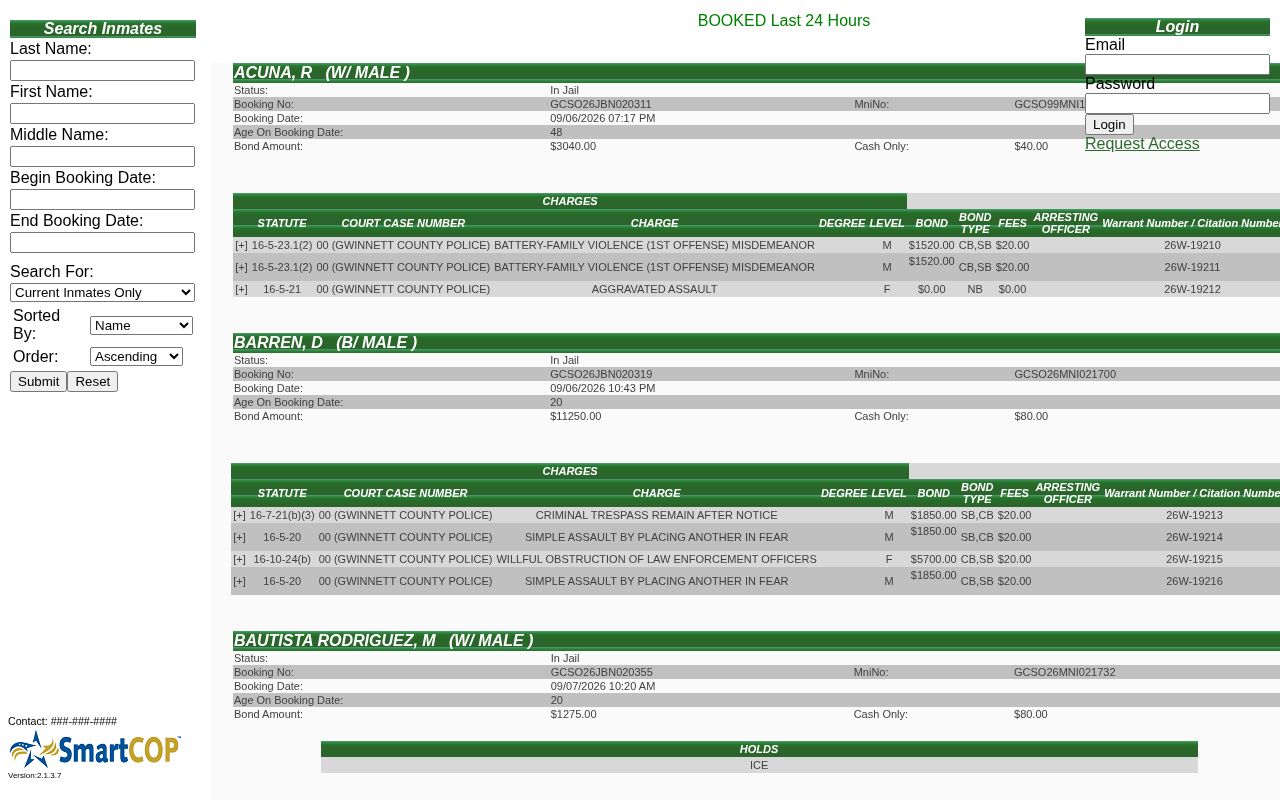
The official Gwinnett County Sheriff search interface, shown without booking photographs or any gallery of people.
Check Gwinnett Arrests Today
Start broad, then narrow. The public interface accepts name and date criteria, and it separates current from released records. Names can appear in shortened form, so a matching name alone proves little. Booking time, age on the booking date, and booking number help. So do agency and charge rows. Together they give a firmer identity check on a possible Gwinnett County arrest.
- Open JAIL View and review the default last-24-hours results. Use “Load more results” when it appears.
- Enter the known last and first names if the person is not visible. Check spelling carefully.
- Compare booking time, age, arresting agency, booking number, and charge details across possible matches.
- Read each charge row and note the court, case or citation number, bond type, fees, and holds shown.
- If absent, search a booking-date range and include released records before contacting official records staff.
Use the countywide Gwinnett County recent-arrests lookup. It ties the roster to records and courts. For more than same-day intake, use the separate Gwinnett County Arrest Log. Set booking or release dates there. A longer query helps. Use it when the exact day is unclear. It is not a certified historical archive, though.
Note: Save the booking number and the date you checked, since custody status, bond, holds, and charge entries can change.
Gwinnett Booking Fields Explained
A Gwinnett County arrest result holds several record layers. The header identifies the booking. Its charge table can tie each count to a statute, court, case, bond, officer, or warrant number. Copy those fields exactly as written, since they are live administrative data.
| JAIL View field | Meaning |
|---|---|
| Name and age | A shortened displayed identity and age on the booking date; confirm with other identifiers. |
| Status | The current interface state when checked, not a permanent history. |
| Booking No. and MniNo. | Identifiers useful for distinguishing people and requesting records. |
| Booking date and time | The jail intake timestamp, which may follow the street arrest. |
| Bond and fees | Displayed amounts and terms that a court may later change. |
| Holds | Custody notations, sometimes from another county or ICE, not final rulings. |
| Charge details | Booked charges plus statute, court, case, agency, and warrant or citation data. |
| Booking photograph | No result photo appeared in observed JAIL View; ask GCSO Records about releasable photographs. |
Booking time is not always arrest time. A police report may carry an earlier incident or arrest time, while a court docket uses later filing and hearing dates. Keeping those dates straight keeps a same-day Gwinnett County entry from being misread.
Gwinnett Arrest Record Requests
The roster displays no booking photos. County planning material says a digital booking photo is stored in the TAG jail-management workflow. That does not make the public search a photo source. The official route is the GCSO Records Management Unit. A focused request should name the full name, booking date, booking number, and arresting agency. It should also list the items sought. These include the booking record, charge sheet, bond or release record, or booking photograph.
Georgia's booking-photo rule, O.C.G.A. §35-1-19, limits what agencies may post on their websites and addresses requester statements. Getting an image is a legal-access question, not an automatic download. A blank space next to a live result does not mean no image exists. The official system may still hold the photo.
The official Sheriff records page gives the government request route.
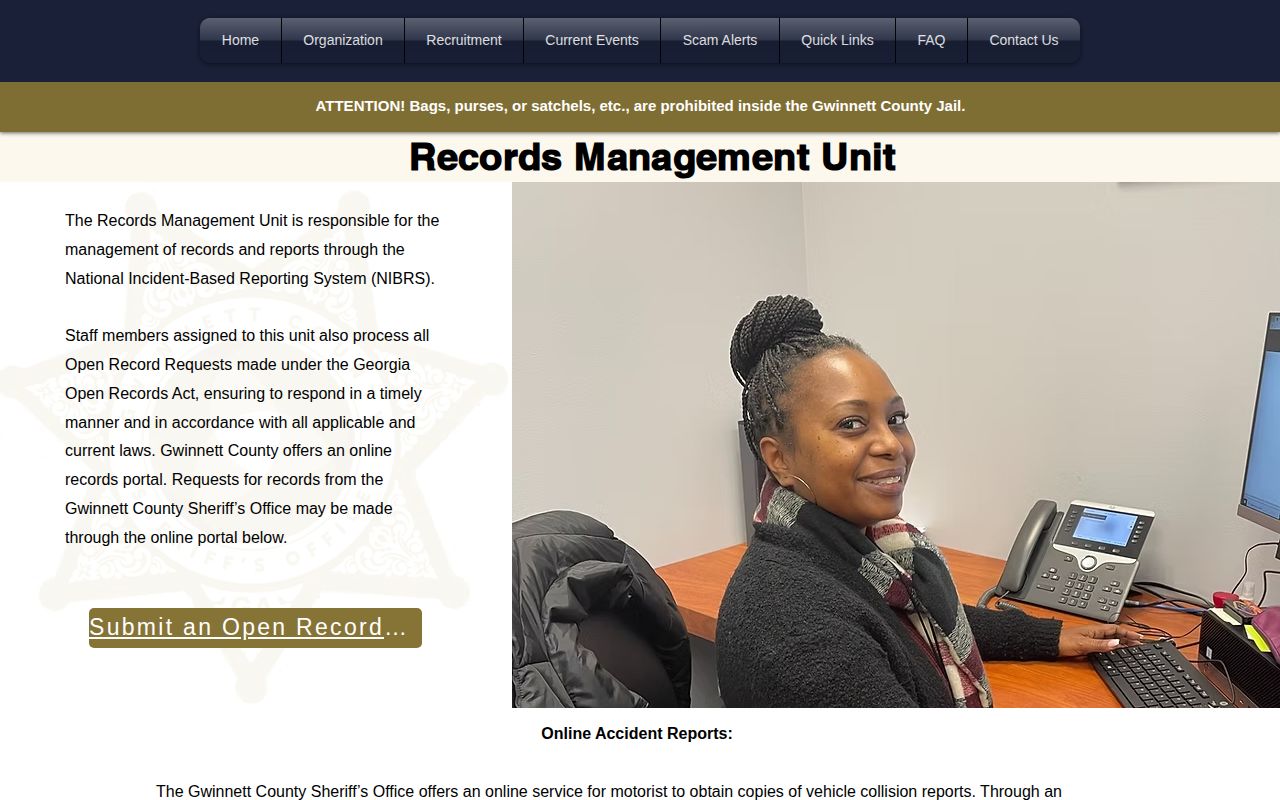
This capture points to the official custodian instead of a commercial photo publisher.
Confirm a Gwinnett Arrest
If the same-day screen does not settle the question, work through official channels. Go by custody state. Search current and released records first. Then run a VINELink custody check if release or transfer is possible. VINELink covers status and notifications, not the full booking file. For the report or an older item, contact GCSO Records.
The Sheriff records page lists 770-822-3820 for report status and questions. The Sheriff contact directory lists the units separately. Active Records sits at 770-619-6566. Inactive Records is 770-619-6576, and Records Management is 770-619-6539. Keep each number tied to its published function. The office sits at 2900 University Parkway, Lawrenceville, GA 30043. General records hours run Monday through Friday, roughly 8:00 a.m. to 4:00 p.m., excluding holidays.
Gwinnett County Sheriff’s Office Records2900 University Parkway
Lawrenceville, GA 30043
Public records line: 770-822-3820
GCSOOpenRecords@GwinnettCounty.com
When you need an outcome, use the Gwinnett Courts Case Search with the party name, court, case, or citation number. The court supplies the later result. A jail status cannot.
Note: A search miss can reflect timing, release, indexing, name format, restricted data, or retention rather than no Gwinnett County arrest.
Gwinnett Sheriff App Access
The Sheriff offers an official app through the Apple App Store and Google Play. Its description covers communication with GCSO, tips or reports, public-safety information, and an inmate-search update. It works well as an alternate access point on a phone. The app promises no booking-photo gallery, longer archive, or fixed refresh interval. JAIL View remains the canonical web route for Gwinnett County 24 hour arrests, and the records unit remains the source for a releasable booking file.
Arrest Charges Are Accusations
A same-day booking in Gwinnett County shows the arrest details recorded at the jail. That is all it shows. Bond amounts can shift. Holds may be added or dropped as a case moves along. The court docket tells the rest of the story once charges move forward.
Each tool answers a different question. Gwinnett County's JAIL View, the arresting agency's report, VINELink, and the court docket each cover one slice of an arrest record. Start with the agency, then the booking, custody status, notification signup, and finally the court.